Every view, one source of truth
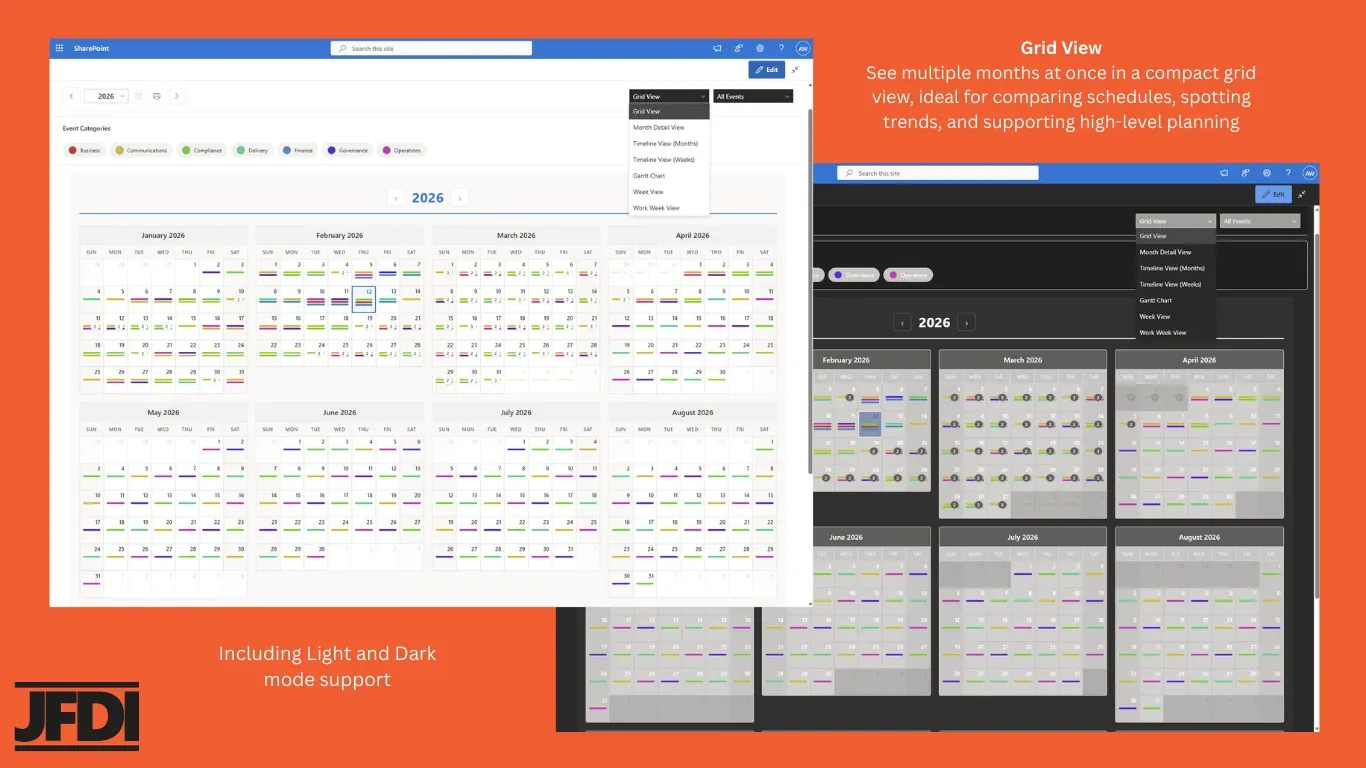
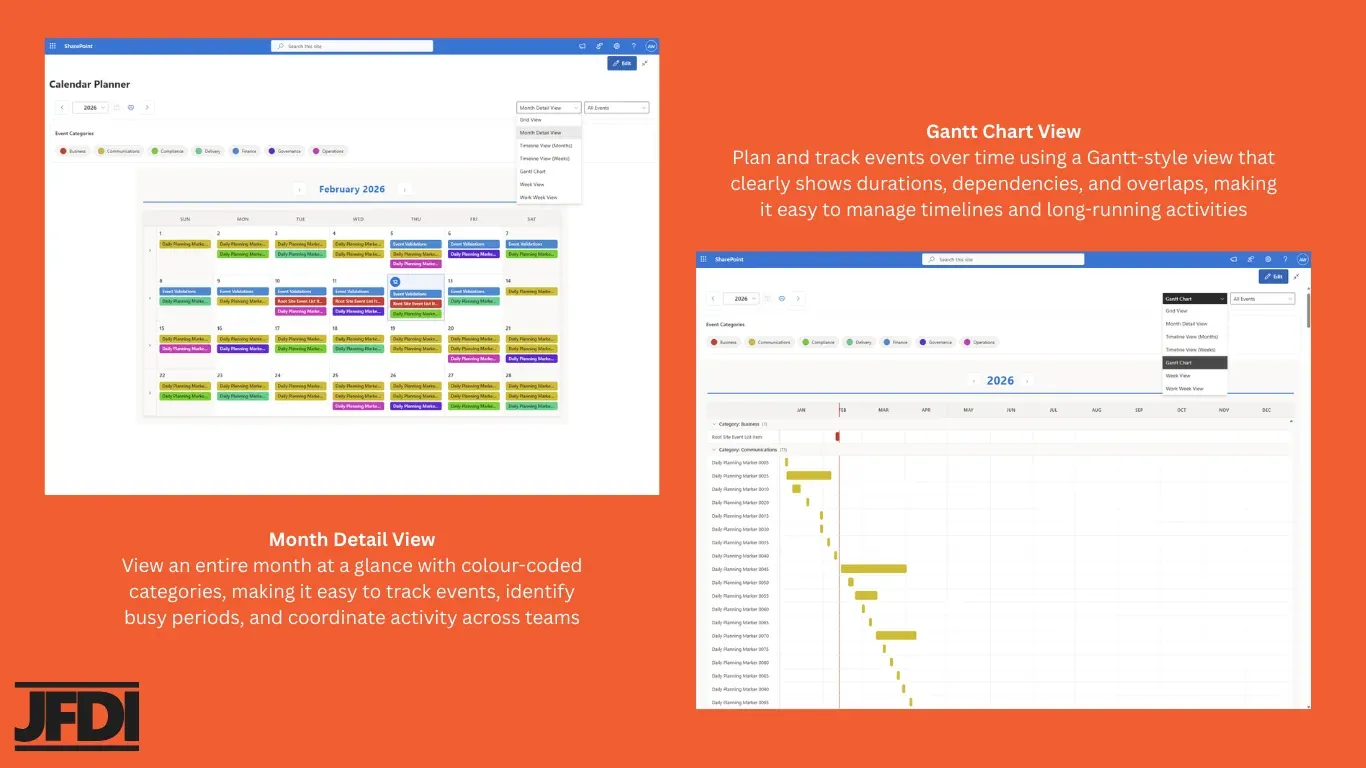
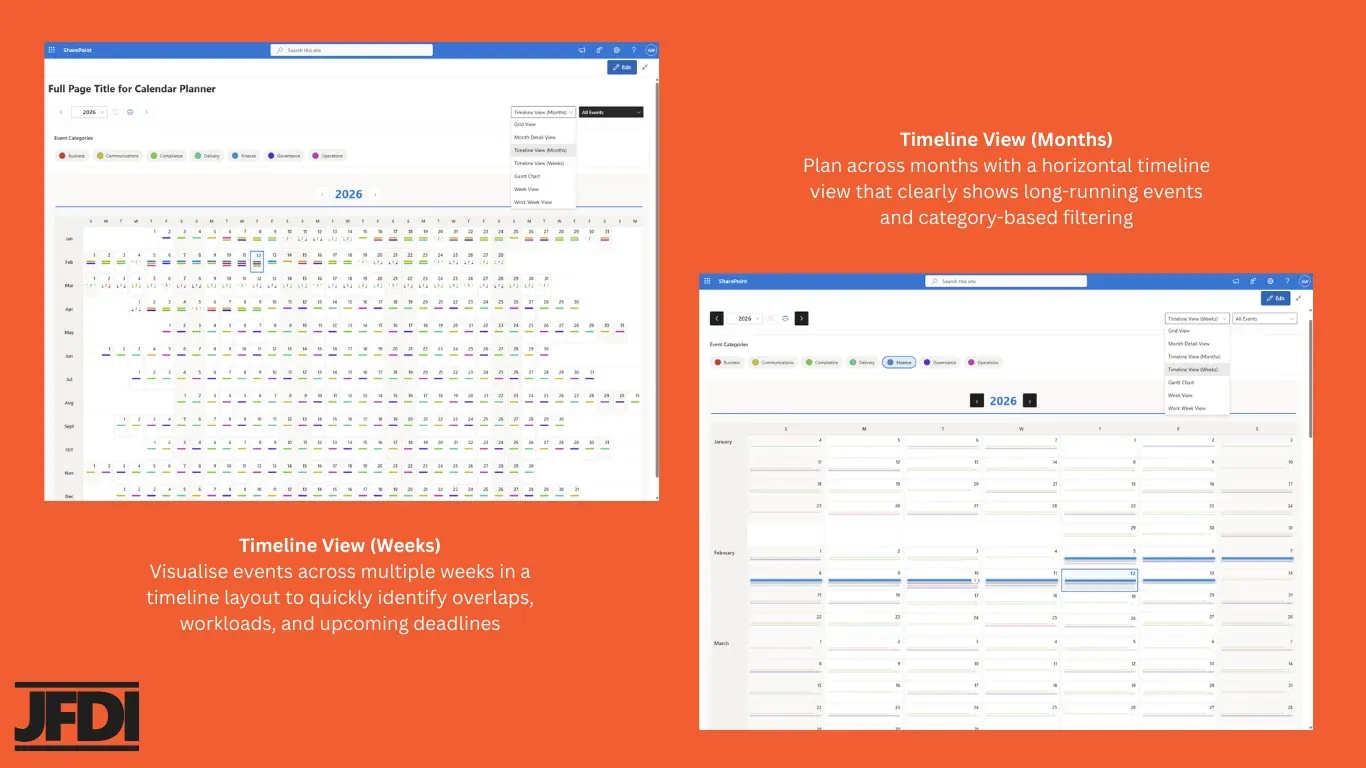
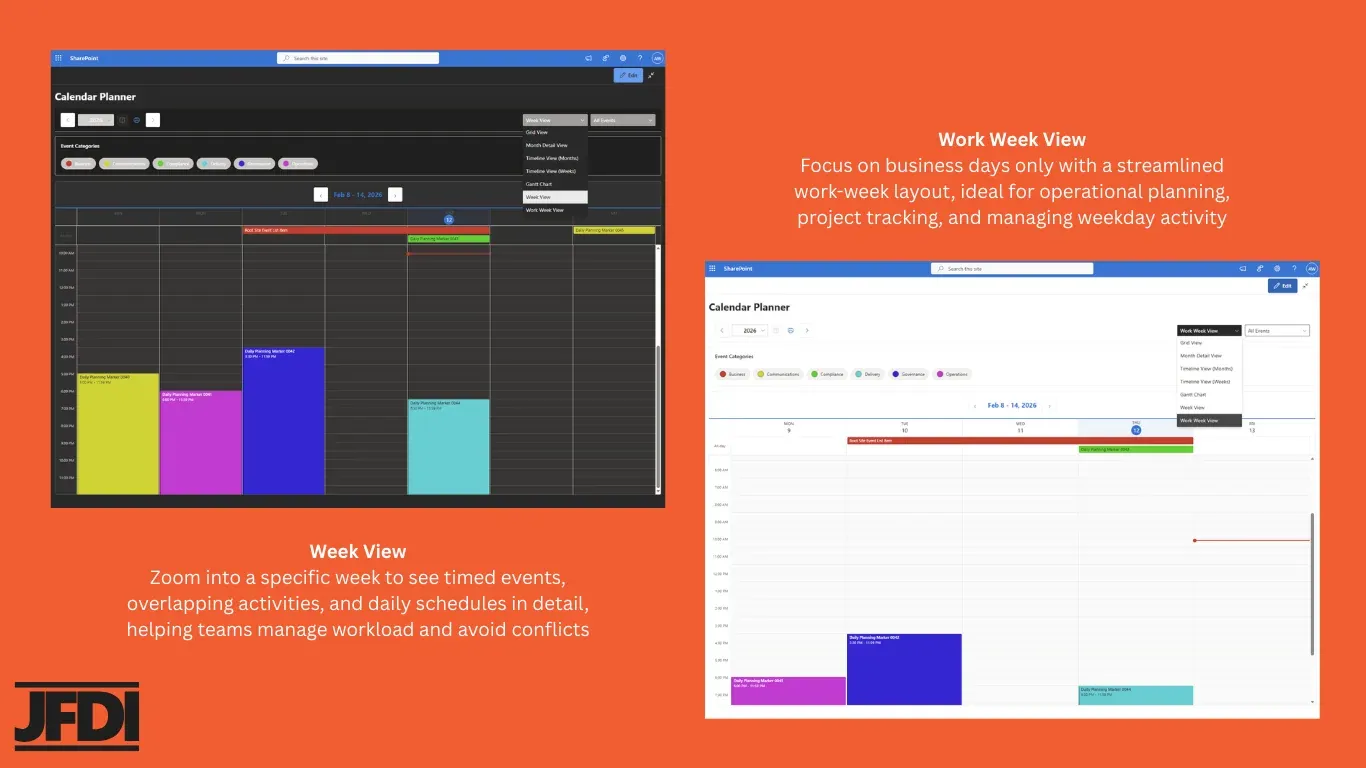
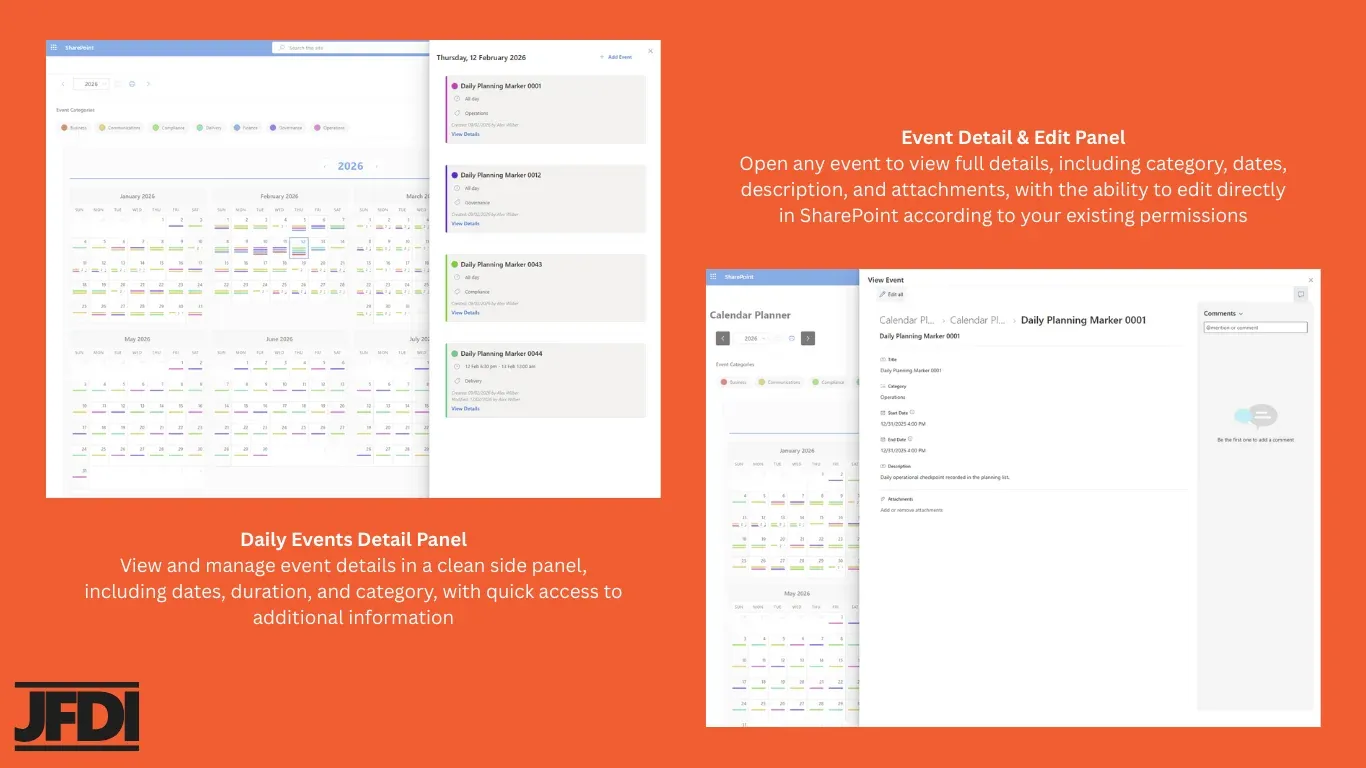
The same SharePoint list, rendered nine different ways. From a full-year grid to a single event’s edit panel, the view follows the conversation. Switch the tab to step through; click any image to zoom in.
Patterns and pressure points
Colour-coded categories make busy weeks and clashes instantly visible across any timeframe.
Renders your existing list
Point at any SharePoint Calendar list. Map your fields. The view is live; there’s no second copy.
Quick add and edit
Click any day to add an event. The side-panel respects your list’s column types and validation.
Why Calendar Planner
Most SharePoint calendars haven’t really changed in a decade: flat monthly grids, colour overlays bolted on, no useful annual view. Calendar Planner replaces them with a clean, modern interface that scales from a single team calendar to an organisation-wide planning surface.
It does not try to replace your planning processes. It visualises the SharePoint lists you already keep up to date, so the views never drift from reality.
Built for Teams & Organisations
Internal Communications
Share events and activities across departments and teams.
HR & Training
Coordinate training schedules, onboarding, and team events.
PMO & Project Managers
Track project milestones and cross-team dependencies.
Departmental Scheduling
Manage departmental calendars and resource allocation.
Resource Planning
Visualise team availability and workload distribution.
Organisation-Wide Visibility
A shared view of activity across the entire organisation.
Features
Multiple Calendar Views
Year, Month, Week, Grid, Timeline and Gantt. Switch view to match the conversation.
Colour-Coded Categories
Categories drive the colour palette across every view, so patterns and pressure points are visible at a glance.
SharePoint-Native Storage
All data lives in your SharePoint Online tenant in standard lists. No external store, no shadow database.
Fast Event Management
Click any day to add an event. Edit or delete from a clean side-panel. Power users can still work directly in the underlying list.
Powered by M365 Security
Calendar Planner respects SharePoint permissions and tenant governance automatically. No extra configuration required.
Microsoft 365 Integrated
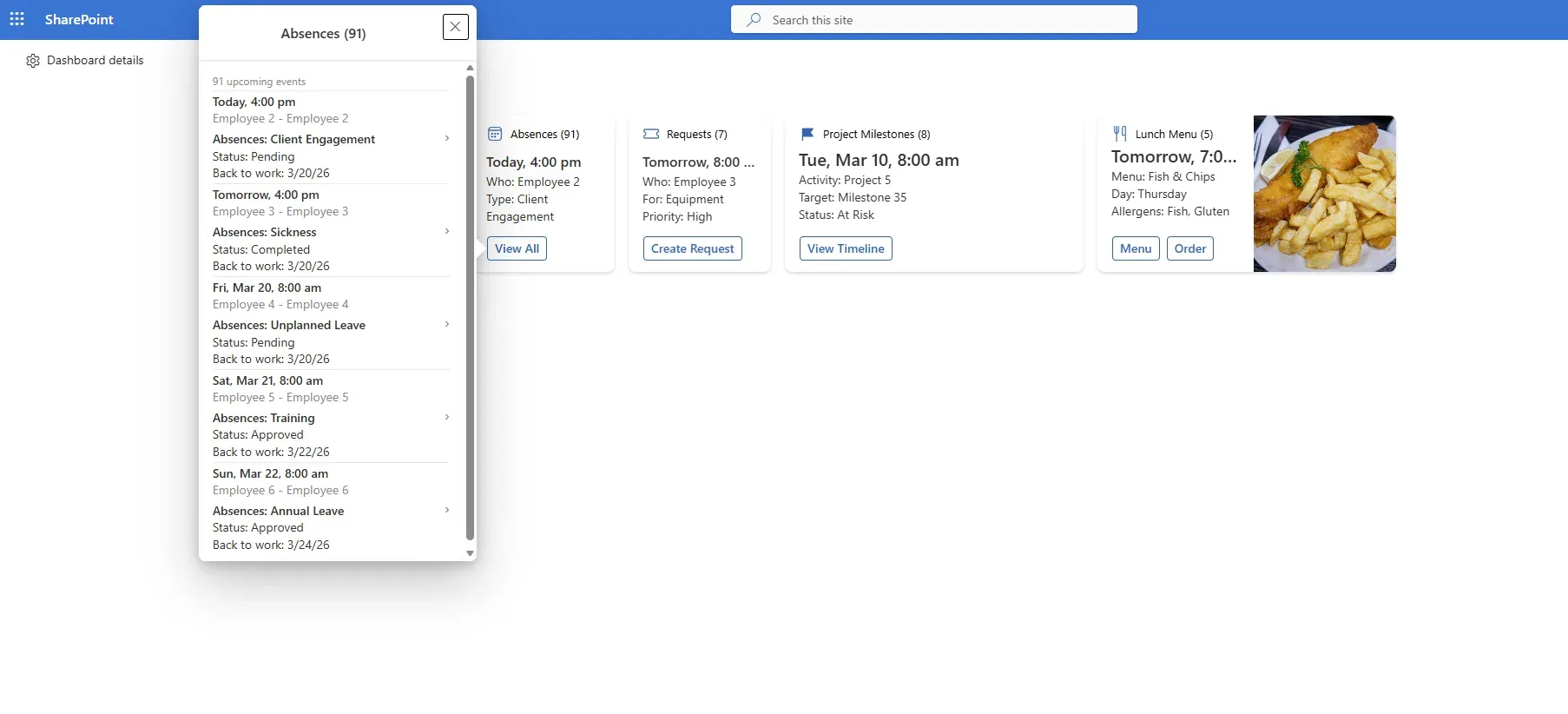
Surface calendars in Teams channels, Teams personal tabs, the Viva Connections dashboard, and Outlook.
How It Works
1. Install
2. Add
3. Connect
4. Configure
5. Plan
Available on the Microsoft Marketplace
The Free tier is genuinely free. Every install includes a 30-day Enterprise trial that starts once an administrator approves the JFDI Licensing permission in the SharePoint admin centre, so you can evaluate everything.
Free
Get started with essential calendar visualisation.
- Year Grid View: full annual calendar overview
- Deploy on any SharePoint page
- See all your calendar events at a glance
- User licensing not required for free features
- 30-day Enterprise trial, starting on admin approval
Standard
Everything in Free, plus full event management.
- Month Timeline and Week Timeline views
- Full event management: create, edit, delete
- Smart filtering via SharePoint list views
- Teams Channel Tabs
- Configurable layout and colour customisation
Enterprise
Everything in Standard, plus advanced capabilities.
- Month Detail View and Gantt Chart
- Print support and calendar overlay (up to 5)
- Teams Personal Tabs and Outlook integration
- Custom field mapping and configuration
Use Cases
Education
A clear annual view of teaching periods, governance dates, and major activities, built from existing SharePoint lists.
Project & Programme
Coordinate activity across the year and keep shared schedules accurate as plans evolve.
Large Organisations
Visibility across operational, regulatory and governance plans, without consolidating them into a new system.
Frequently Asked Questions
Latest News & Insights
 News
NewsCalendar Planner reliability and admin improvements
A batch of Calendar Planner updates focused on reliability, clearer licensing behaviour, and a smoother administrator experience: Dashboard Tile timezone handling, licensing recovery after updates, sovereign-cloud support, and refinements to the new ICS export.
 News
NewsNew Enterprise features in Calendar Planner: ICS export and Dashboard Tile licensing
Two Enterprise-tier additions for Calendar Planner: an ICS export button on the calendar toolbar that downloads visible events as a standard .ics file for Outlook, Google Calendar, and Apple Calendar; and a clearer Enterprise licence boundary around the Dashboard Tile web part and its Adaptive Card Extension, with the active tier displayed inline in the settings panel.
 Insights
Why Calendar Planner visualises, rather than replaces
Most planning tools start by asking teams to put their dates in a new place. Calendar Planner takes the opposite approach: read what is already there and present it well. Here is why that matters, and how it plays out.