
Calendar Planner is intentionally a small, focused product: it visualises SharePoint list data across time. Within that scope it is deep: six distinct views, fine-grained configuration, and integrations across Microsoft 365.
Calendar views
Pick the layout that suits the conversation. Every view is driven by the same underlying SharePoint list.
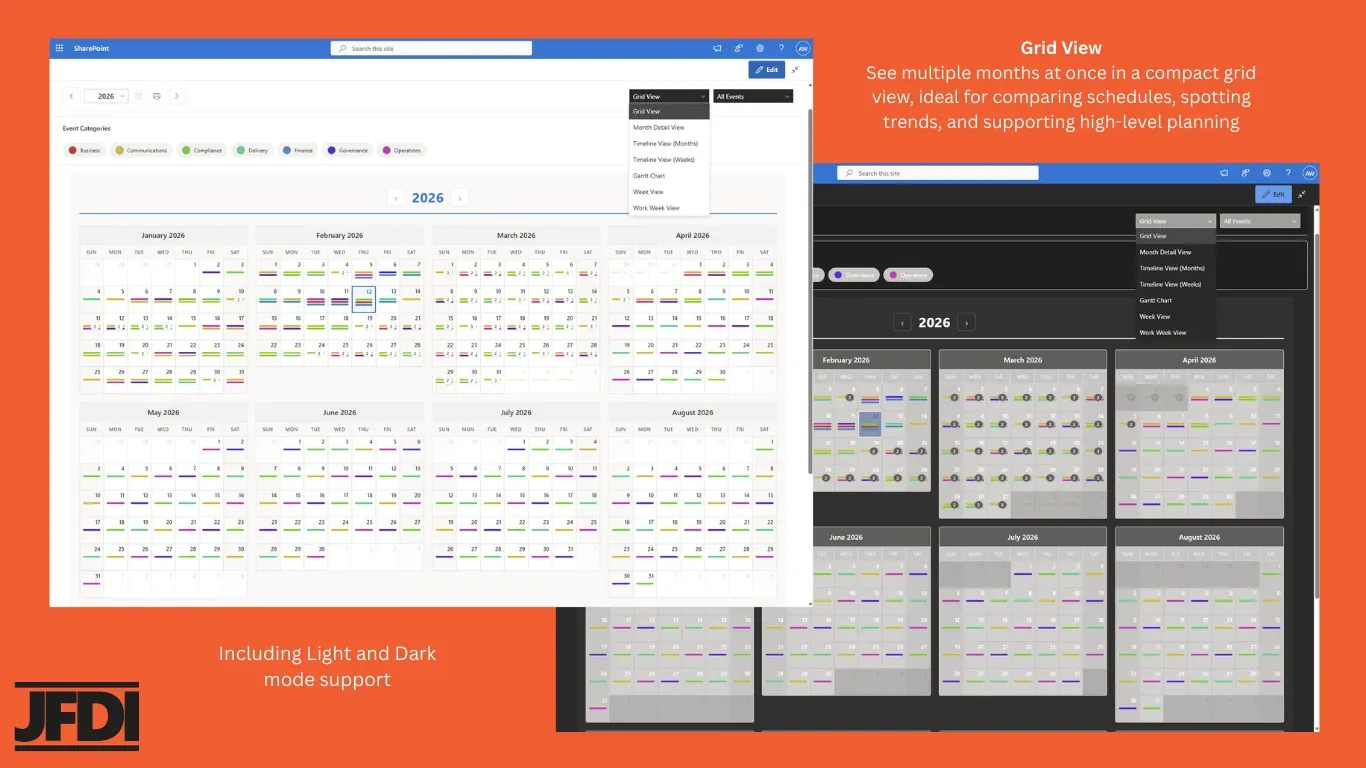
Year Grid
Full annual overview on a single screen. Free tier.
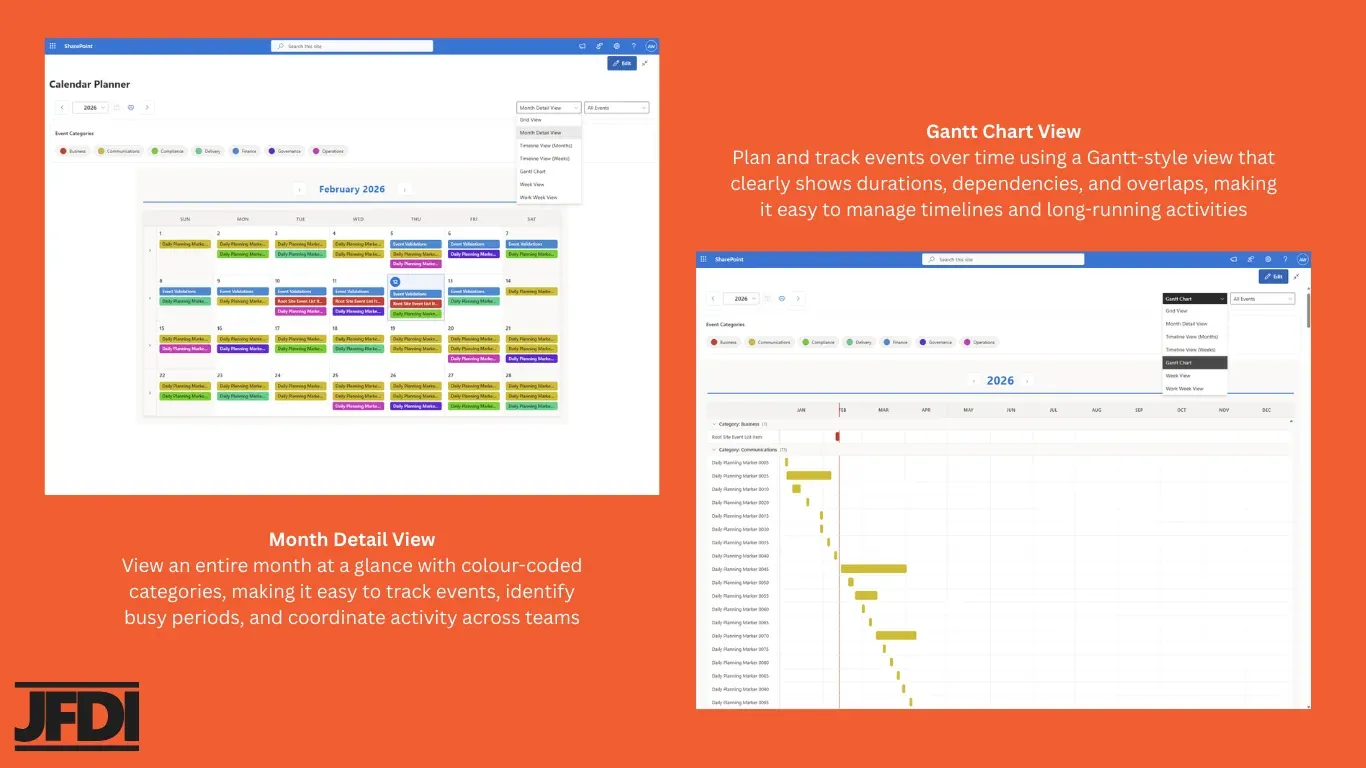
Month
Classic month grid with category colours. Standard tier.
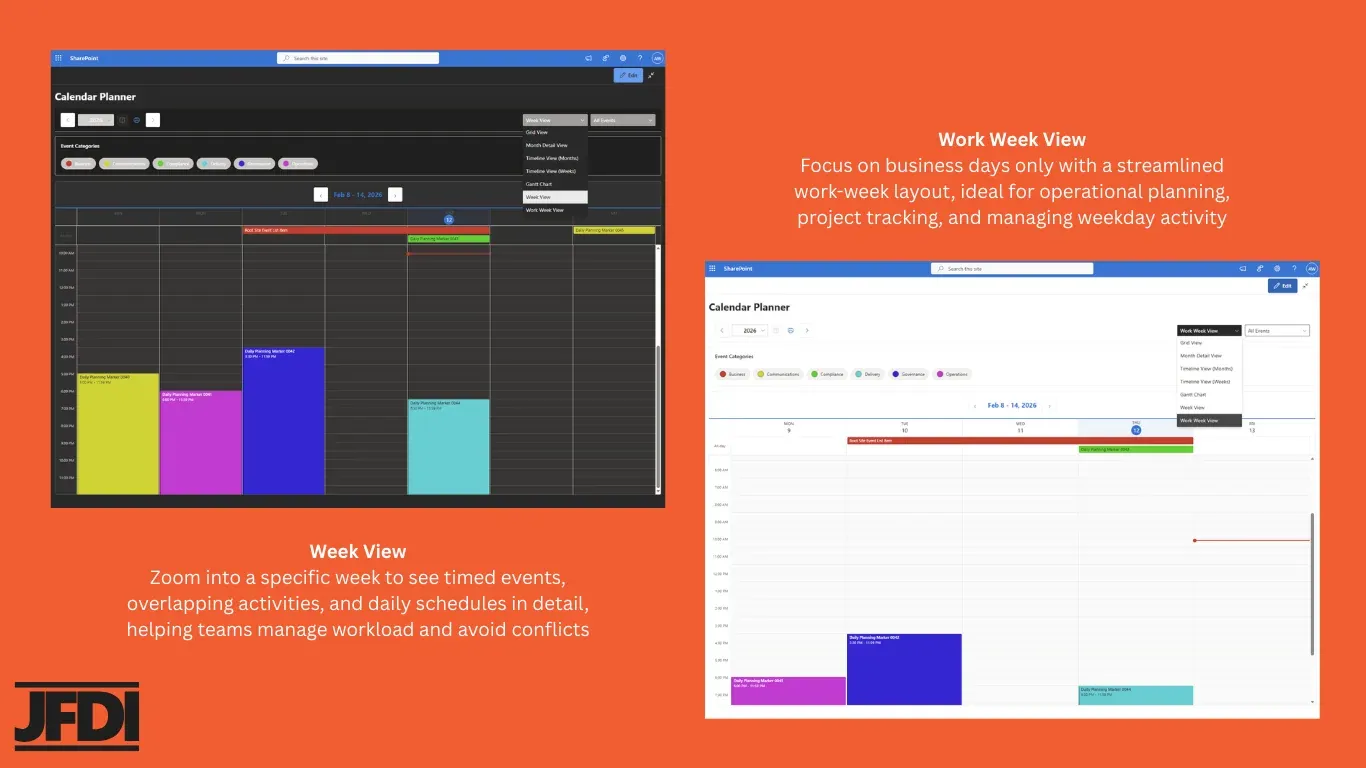
Week
Weekly view for short-range coordination. Standard tier.
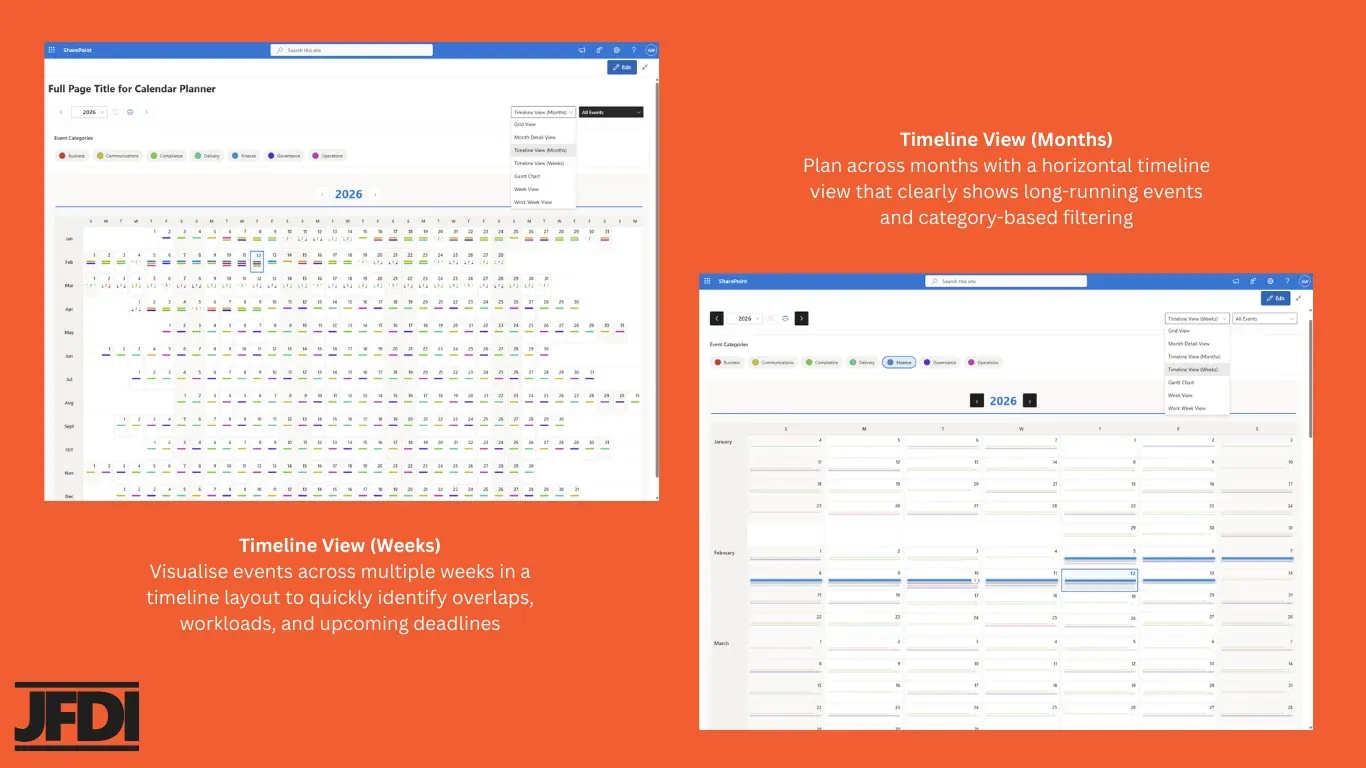
Timeline (Months)
Twelve months on one timeline, patterns at a glance. Standard tier.
Timeline (Weeks)
Weekly timeline for spotting overlaps and pinch points. Standard tier.
Gantt
Dependency- and duration-led view for programme work. Enterprise tier.
See every view in action
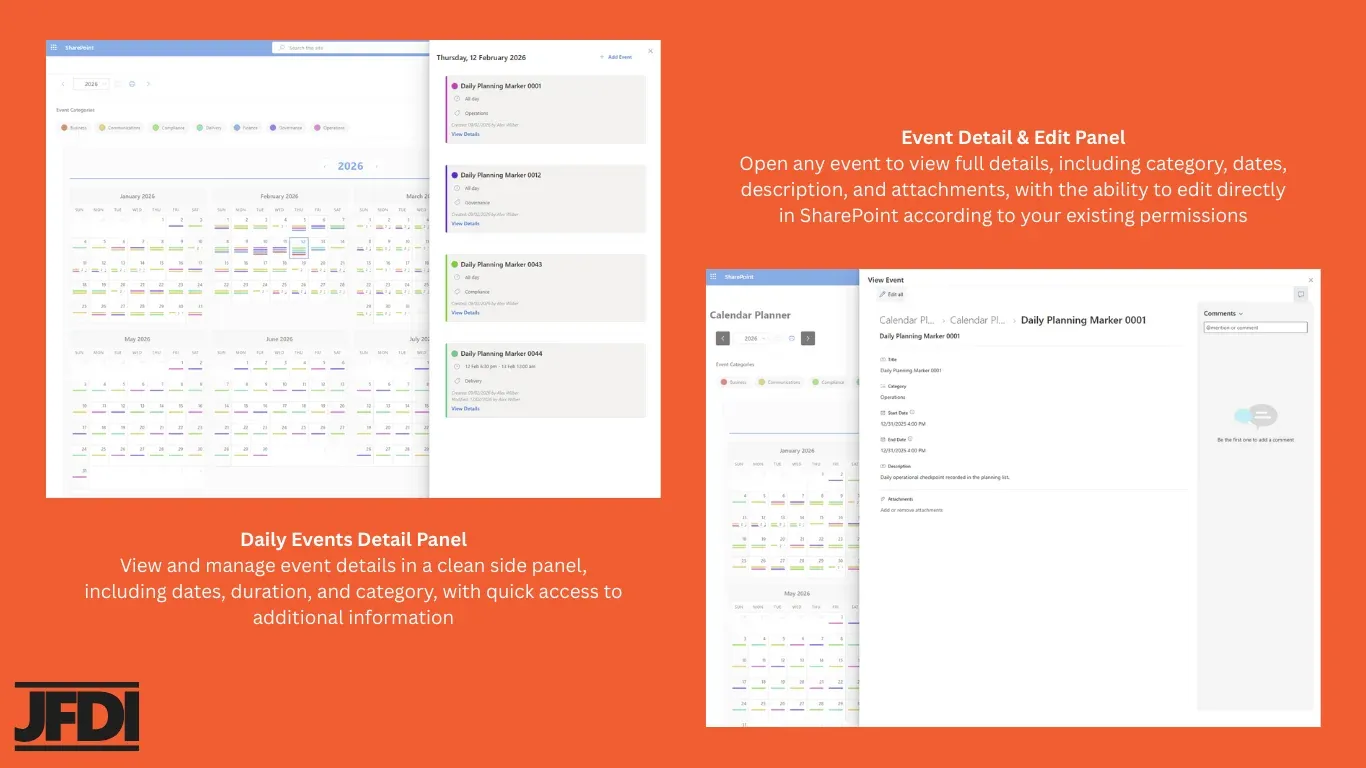
Switch the tab to step through the views; click any image to zoom in. Each pair shows two related views; together they cover the full range from annual overview down to a single event’s edit panel.
Working with events
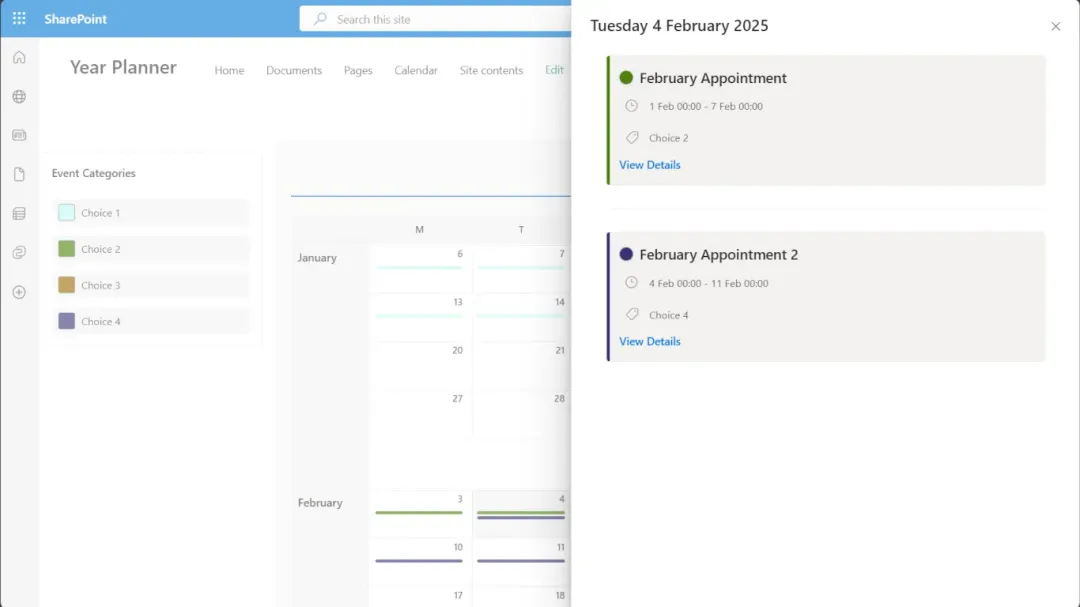
Add, edit and delete in place
Click any day to open a side-panel with the events for that date. Add a new event, edit an existing one, or open the full SharePoint list form for advanced fields. Power users can still work directly in the list; Calendar Planner stays in sync.
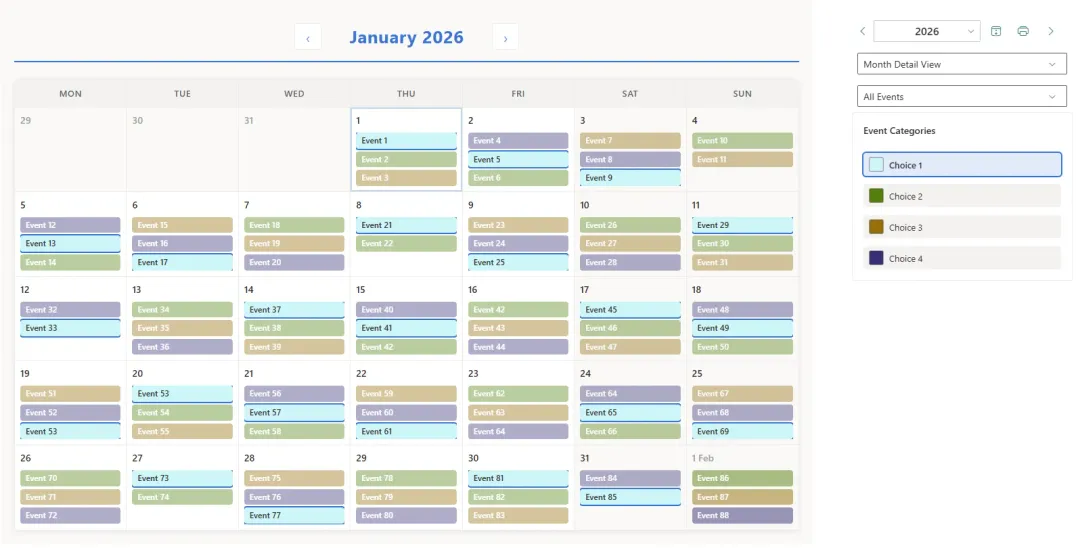
Filter by category
Categories drive the colour palette across every view. Toggle them on or off to focus on operational, regulatory, programme or communications work without losing the wider context.
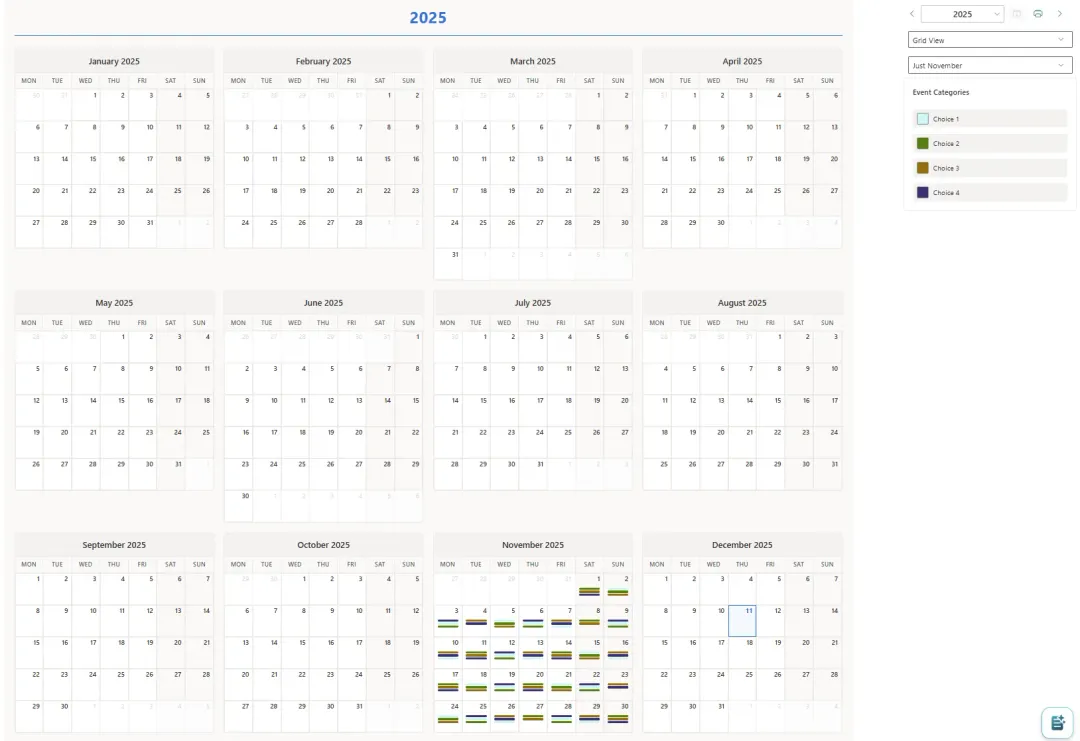
Smart filtering via SharePoint list views
If you already curate views on the underlying list (“Just November”, “This region only”, “Major milestones”), Calendar Planner picks them up. Author the filter once in SharePoint; reuse it everywhere.
Recurring events
Improved interface for creating and editing recurring events introduced in early 2026. Configure series patterns directly from the editor, with full compatibility with native SharePoint event lists, so the resulting items remain readable and editable from any other M365 surface.
Microsoft 365 integration
Teams Channel Tabs
Add a calendar to any Teams channel as a tab. Standard tier.
Teams Personal Tabs
Add Calendar Planner to a user’s personal Teams app rail. Enterprise tier.
Viva Dashboard Tile
Surface the next events as a configurable card on the Viva Connections dashboard.
Outlook on the web
View Calendar Planner data directly in Outlook. Enterprise tier.
Print, export, and overlay
Print any view
Generate a printable layout from any view, or export to PDF. Enterprise tier.
Calendar overlay
Combine up to five SharePoint calendars into a single view, without changing how teams maintain them. Enterprise tier.
Custom field mapping
Map any date or category fields from your existing lists. Enterprise tier.
Configuration
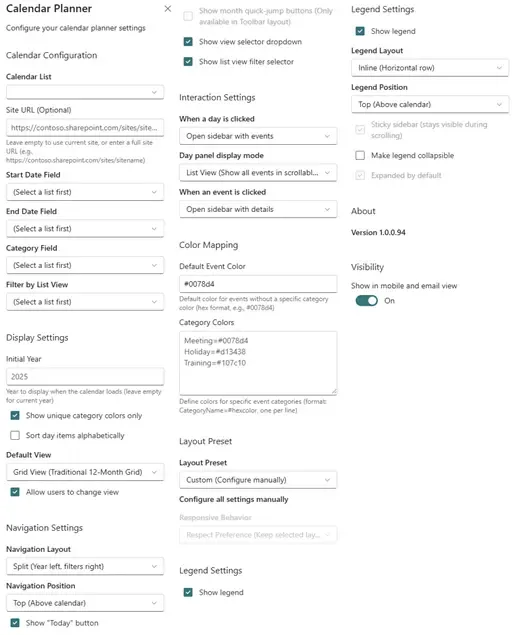
Designed for SharePoint admins
Configuration happens in the standard web part properties pane: list selection, category field, default view, colour palette, layout, and which fields appear in the side-panel. No PowerShell, no separate admin portal.
Compatibility
Accessibility
Calendar Planner is designed and developed with accessibility in mind. We follow the Web Content Accessibility Guidelines (WCAG) 2.1 AA: keyboard navigation, screen-reader labelling, sufficient colour contrast in the default palette, and visible focus states across every view.
Where colour is used to distinguish event categories, an accompanying text label is always shown, so the calendar remains usable for people with colour-vision differences.
Ready to plan better?
Calendar Planner is available free on the Microsoft Marketplace, with a 30-day Enterprise licence that starts once an administrator approves the JFDI Licensing permission.